Restaurant POS with tables, kitchen and split bills
Manage your floor plan, send orders to the kitchen, merge or split bills, and apply service charge automatically.
No credit card. Start selling in minutes.
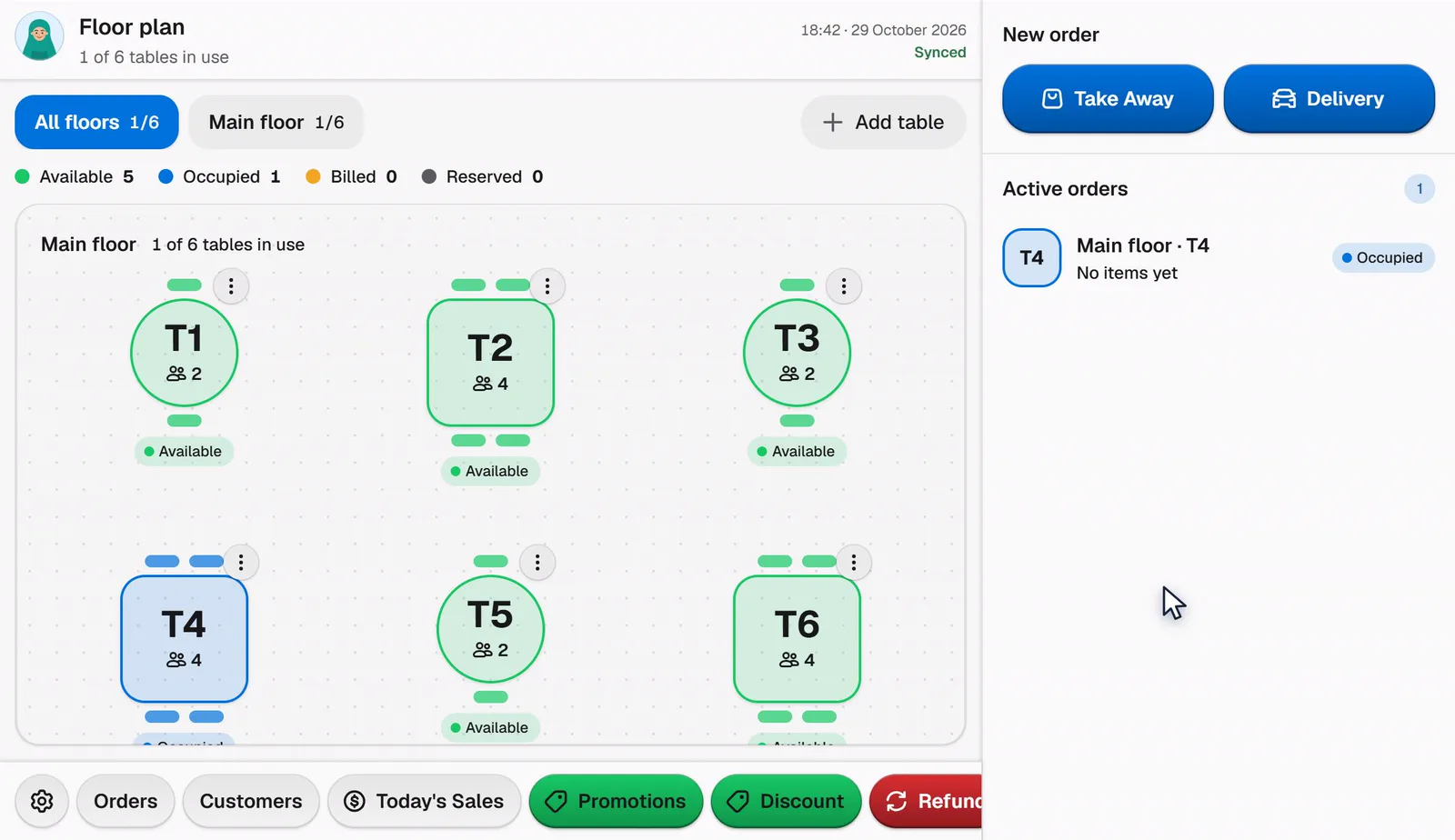
Every restaurant flow in one place
Floor plan
See free, occupied and waiting tables. Move or merge tables in one tap.
Kitchen display
Orders reach the kitchen by status: new, cooking, ready, served.
Service charge and rounding
Service charge per order type and cash rounding are calculated and reported automatically.
Free plan, forever
- 1 outlet
- 300 transactions per month
- Up to 100 products
- No time limit, upgrade any time
Switch from your old POS
Upload an export from Moka, majoo, Qasir, Olsera, Pawoon, Kasir Pintar or an Excel/CSV file. Bakasir maps the columns, shows a preview, then moves products, stock, customers and sales history. You can roll back before finalizing.
Frequently asked
Yes, including paying with several methods at once when enabled in settings.
The Windows app supports a separate kitchen printer and a kitchen display (KDS).
Yes. Each outlet has its own stock, cashiers and reports, with a combined view for the owner.



Start selling with Bakasir today
Point of sale, inventory, reports and an online store in one app. Free to start.
Start free